Geo Loan UK Predictor









A high-performance Python dashboard for visualizing and analyzing loan risk across the United Kingdom. This application uses SciPy for statistical risk modeling, Flet for a modern UI, and MySQL for persistent data storage.
🚀 Key Features
Nationwide Risk Mapping: Interactive Heatmaps generated with Folium.
Statistical Analysis: Real-time Z-score and DTI (Debt-to-Income) calculations.
Full-Stack CRUD: Add, Delete, and Update borrowers with a safety-first UI.
Secure Architecture: Environment-based credential management.
🧮 How the Geo-Loan Engine Works
The risk engine uses a Three-Step Statistical Pipeline:
HOW THE SciPy MATH WORKS: * LEVEL THE FIELD: Credit scores (700) and Debt ratios (0.3) are different sizes. We use Z-Scores to turn them into 'distance from average' so we can compare them fairly. * THE SCORE: Risk = (High Debt) - (Good Credit) - (Work Experience). * THE SQUASH: The result could be any number. We use a 'Sigmoid' function to squish that number into a simple 0 to 1 scale (0% to 100% risk). * THE GRADE: Scores are labeled: 'Safe', 'Caution', or 'High Risk'.
📸Screenshots
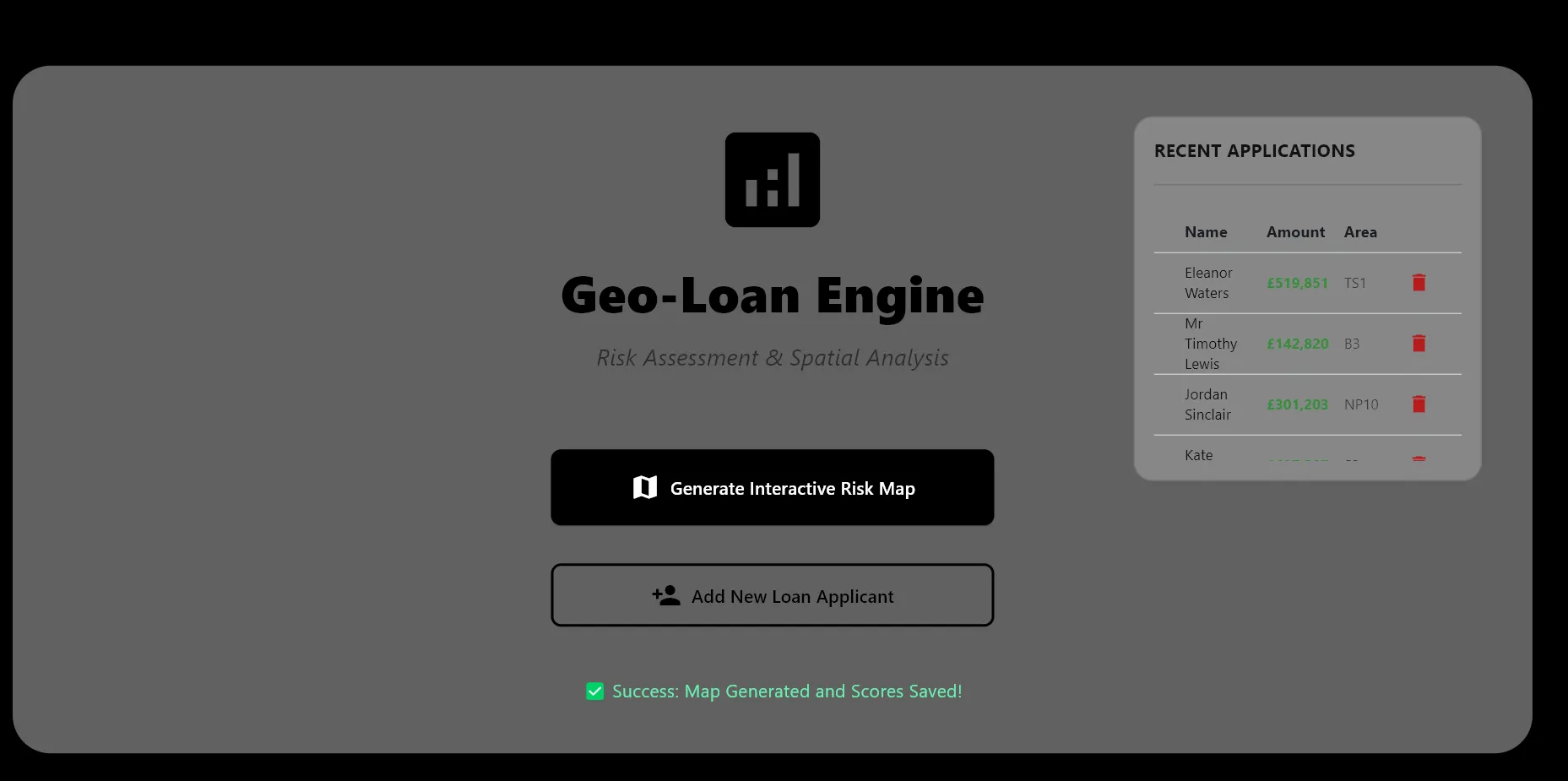
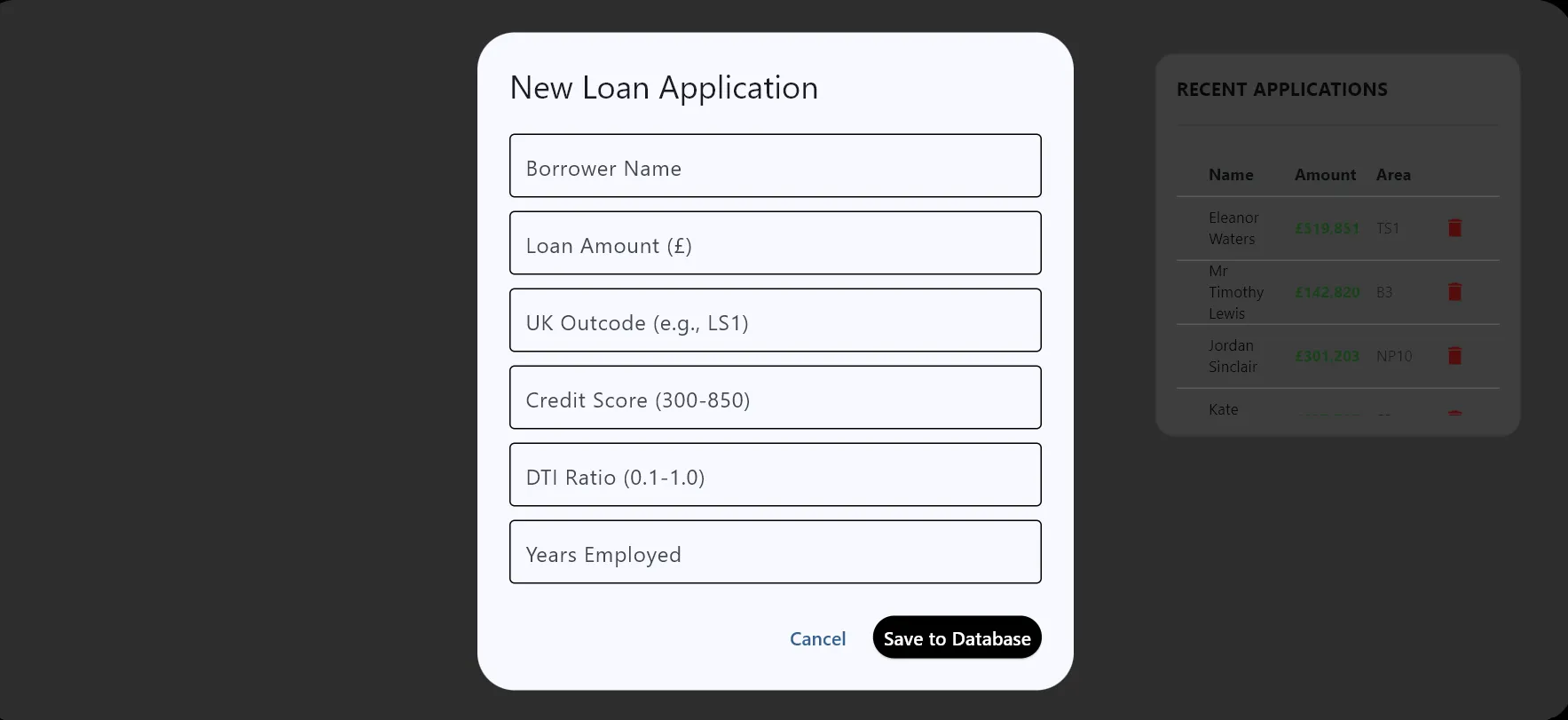
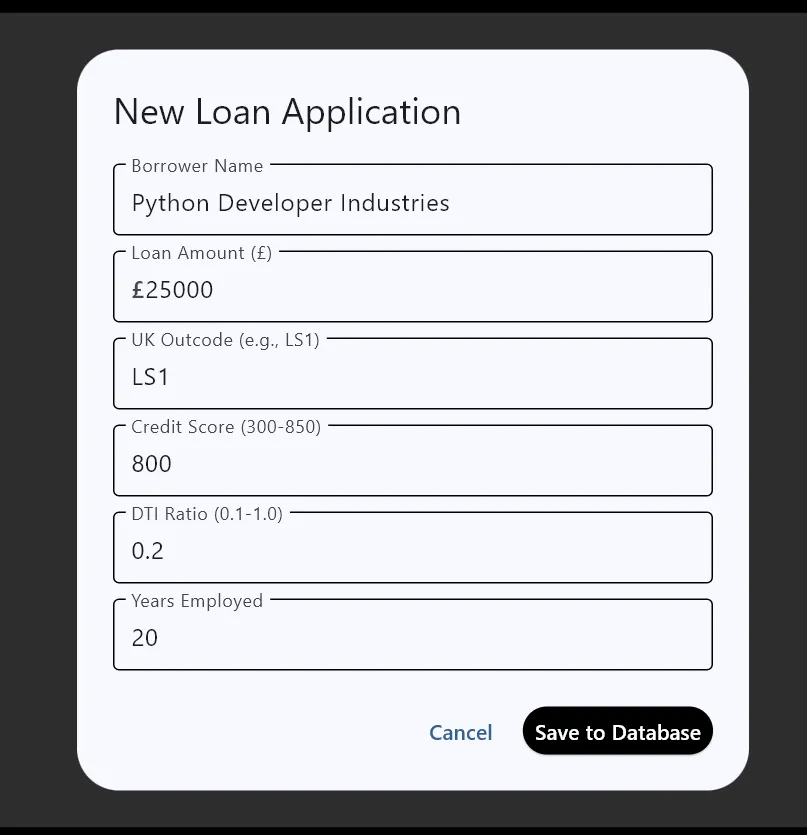
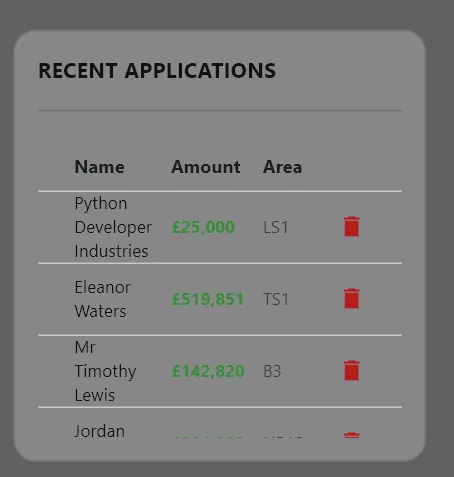
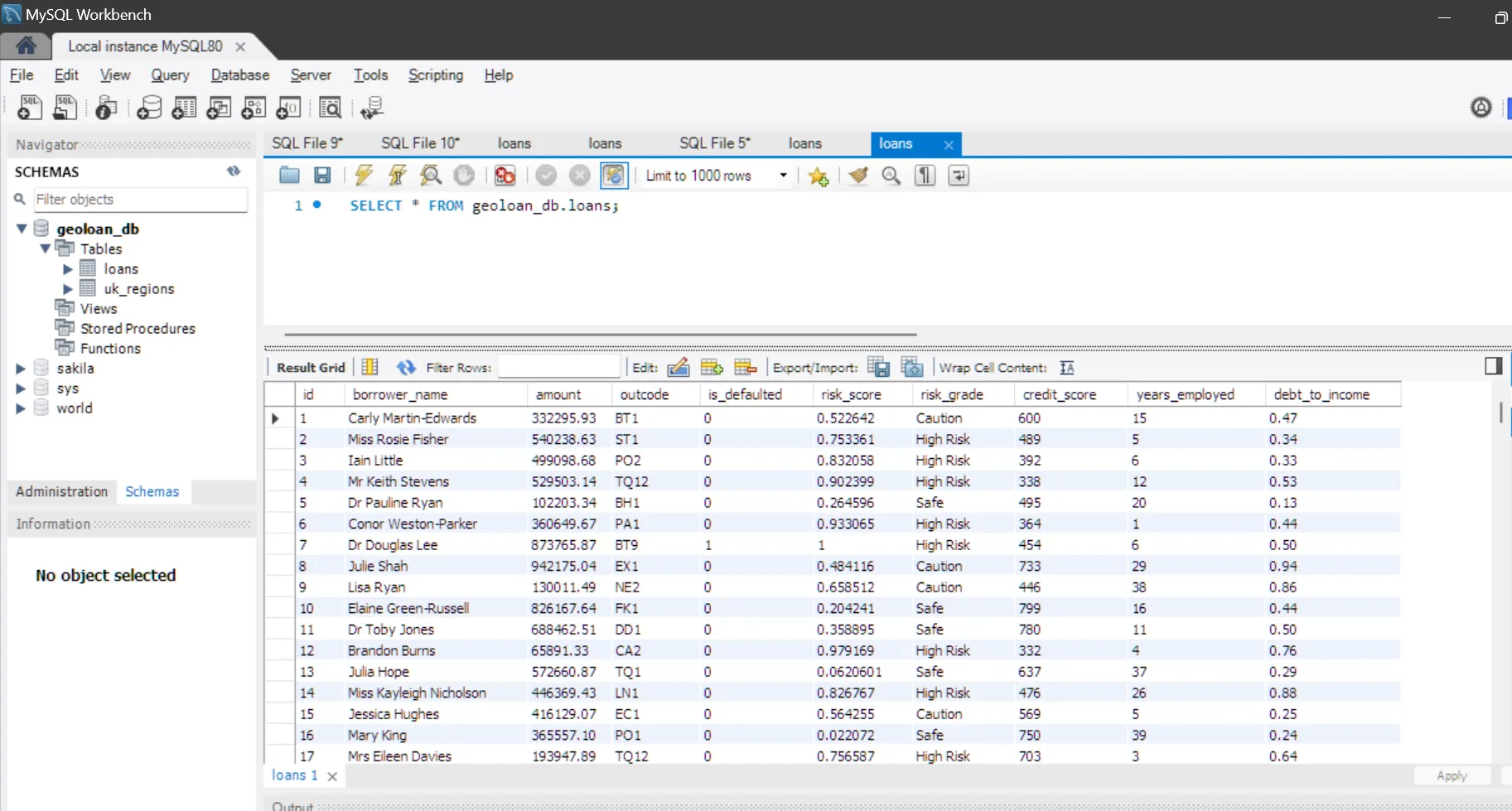
Demo Video
🛠️ Installation & Setup
Prerequisites
Python 3.10+
MySQL Server (Running locally or hosted)
Virtual Environment (Recommended)
Database Configuration
Run the following SQL command in your MySQL terminal to prepare the table:
CREATE TABLE loans (
    id INT AUTO_INCREMENT PRIMARY KEY,
    borrower_name VARCHAR(100),
    amount DECIMAL(15,2),
    outcode VARCHAR(10),
    is_defaulted TINYINT(1),
    credit_score INT,
    years_employed INT,
    debt_to_income DECIMAL(5,2),
    risk_score DECIMAL(5,3) DEFAULT NULL,
    risk_grade VARCHAR(20) DEFAULT NULL
);
Environment Secrets
Create a file named .env in the root directory and add your credentials:
DB_HOST=localhost
DB_USER=root
DB_PASSWORD=your_password_here
DB_NAME=geoloan_db
Install Dependencies
pip install -r requirements.txt
Populating Data
Once your database table is created and your .env is configured, you must populate the system with synthetic UK borrower data Note: To reset your data at any time, run TRUNCATE TABLE loans; in your MySQL terminal before running the seeder again.
python run_seeder.py
"After running the seeder, your console will confirm 'Successfully inserted 500 records'."
📂 Project Structure
├── main.py                # App entry point & UI Logic
├── run_seeder.py          # IMPORTANT: Database Populater
├── .env                   # Private credentials (ignored by Git)
├── .gitignore
├── requirements.txt       # Project dependencies
├── database/
│   ├── connection.py      # Secure MySQL handshake
│   └── queries.py         # SQL CRUD operations
├── models/
│   └── predictor.py       # SciPy Risk Engine
└── ui/
    ├── app_layout.py      # Flet UI Components
    └── map_generator.py   # Folium Map Logic
🚦 How to Run
Ensure your MySQL server is active. Run the boot sequence:
python main.py
Click "Launch Analysis" to process the data and open the interactive map.
🧪 To run the full test suite
python -m pytest
📄 To view the coverage report
python -m pytest --cov=models --cov=database --cov-report=html
🛠️ The Core Tech Stack
- Faker: * Purpose: A library for generating synthetic data (fake names, addresses, emails).
Usage: Used in your run_seeder.py to create 600+ realistic borrower records instantly so you didn't have to type them in manually.
- Flet: * Purpose: A framework that brings Google's Flutter UI to Python.
Usage: This is your Frontend. It handles the window, the buttons, the input forms, and the "Dark Mode" dashboard you see on your screen.
- Folium: * Purpose: A library that creates interactive maps using Leaflet.js.
Usage: It takes the coordinates (Latitude/Longitude) and generates that HTML map with the colored dots for your risk zones.
- SciPy: * Purpose: A scientific library for complex mathematical algorithms.
Usage: You used it to calculate Z-Scores. It compares a borrower's debt against the average of the whole group to determine if they are "High Risk" or "Safe."
- Pandas: * Purpose: The "Swiss Army Knife" of data manipulation.
Usage: It acts as a bridge. It pulls data from MySQL, cleans it up, and passes it to Folium and SciPy in a neat table format (a "DataFrame").
- MySQL: * Purpose: A Relational Database Management System (RDBMS).
Usage: Your Persistent Storage. It ensures that if you close the app, your 600 borrowers aren't deleted—they are saved safely in a local database.
🧠 Technical Challenges & Solutions
Geospatial Data Integrity: * Challenge: Standardizing messy UK Postcode data for mapping.
Solution: Implemented a Regular Expression (Regex) validation layer to extract "Outcodes," ensuring 100% compatibility with the Folium map engine.
Statistical Modeling: * Challenge: Creating a dynamic risk rating from static borrower data.
Solution: Leveraged SciPy's Z-Score functions to normalize multi-variable inputs (DTI, Credit Score), creating a weighted risk algorithm.
Security & Scalability: * Challenge: Protecting sensitive database credentials in a public repository.
Solution: Architected a Decoupled Configuration using .env files and python-dotenv, keeping secrets out of Version Control (Git).
Full-Stack Syncing: * Challenge: Handling high-volume database inserts without UI lag.
Solution: Built a modular CRUD backend in MySQL and integrated it with an asynchronous Flet frontend for a smooth user experience.
🛣️ Roadmap Features
[ ] User Authentication: Implement a secure Login/Sign-up system with hashed passwords using bcrypt to protect lender data.
[ ] Advanced Filtering: Build a sidebar in Flet to filter the map in real-time by Loan Amount, Risk Grade, or specific UK Outcode regions.
[ ] Predictive Machine Learning: Move beyond static Z-scores to a trained Scikit-Learn model that predicts loan default probability based on historical UK financial trends.
- Built by Roy Peters
